Article
Who is Doing What? Ending Agency Ownership Ambiguity with Alios
Stop the "someone will do it" trap. Learn how Alios uses Node assignments and "My Tasks" filters to define clear ownership, eliminate duplicate work, and boost agency ROI
Who is Doing What? Ending Ownership Ambiguity and Boosting Agency Efficiency (Alios)
In the agency world, the majority of operational headaches, endless overtime, and client complaints stem from a single root cause: Ownership Ambiguity. A project is discussed with excitement in a meeting, creative ideas fly around, strategies are planned, and sometimes work even begins. However, as the process moves into the "kitchen," those famous and dangerous questions start to resurface: "Who was doing this revision?", "Who was responsible for the final version of the visual?", "Why has there been no progress on this task for three days?"
Such ambiguities can quickly escalate into a wave of chaos, even in small boutique teams. As the scale grows, the cost of this chaos increases exponentially. Every task without clear ownership is a slice of time stolen from the agency's profit margin. Over time, these "ownerless" jobs lead to delivery delays, duplicate work (the same job done by two different people), crumbling client satisfaction, and, most importantly, increased stress and finger-pointing within the team. This is why the golden rule in modern agency operations is: If a task has multiple owners, it effectively has no owner. Alios eliminates the "Who is doing what?" question by making task ownership crystal clear.
1. The Hidden and Real Cost of Ownership Ambiguity
When a task is not clearly assigned to a single individual, three major breakdowns occur in the agency's operational engine:
A. Tasks in "Limbo" and Delays
When a task is left under a general project heading, team members often act with the logic of "Someone will surely do it" or "It's not my priority." No one steps up to say, "This is my responsibility, and I will finish it." Consequently, the task sits in digital boards or chat histories, and progress grinds to a halt.
B. Duplicate Work: Doing the Same Job Twice
Especially in high-tempo design and content processes, if ownership isn't clear, two different team members (e.g., two separate graphic designers) might spend hours working on the same task without realizing it. This is a total waste of resources. In an industry where human-hour costs are highest, doing a job twice is a direct hit to the bottom line.
C. Erosion of Client Trust
Clients want to feel that every stage of the project is under control. When a client asks, "What's the status of the copy for Campaign X?" and the agency rep answers, "Let me check, I think Ahmet was doing it, but maybe it's with Ayşe," the perception of professionalism is shattered. In an Alios-powered agency, the answer is definitive: "This task is currently under Selin’s ownership and is in the approval stage."
2. Building an Ownership System with Alios
Alios manages task ownership through three core mechanisms: Definitive Assignment, Smart Filtering, and Global Visibility.
Assigning a Single "Captain" to Every Task
The fundamental rule of the ownership system is that a task can never be ownerless or "jointly owned." When a work unit (Node) is created in Alios, the system encourages or mandates two critical pieces of information:
Responsible Person: The single individual accountable for finishing the job.
Definitive Deadline: The exact date and time the task must be completed.
For example:
Task: Prepare March SEO Report Owner: Murat (SEO Specialist) Deadline: March 5th, 18:00
Once this is entered, every stakeholder sees that this task is Murat’s responsibility. If it’s not finished, everyone knows who to go to; if it’s done exceptionally well, everyone knows who to congratulate.
3. "My Tasks" View for Team Productivity
The biggest stress an agency employee faces is opening their computer and asking, "What should I work on today?" Alios removes this cognitive load. By using the "Assigned to → Me" filter, employees can strip away the general project noise and focus solely on their own agenda:
Tasks only they need to perform.
Deadlines sorted by urgency.
The context of which main project their tasks belong to.
This focused workspace balances the extremes of "having nothing to do" and "being overwhelmed," increasing the team's Deep Work focus by up to 40%.
4. Panoptic Visibility for Project Managers
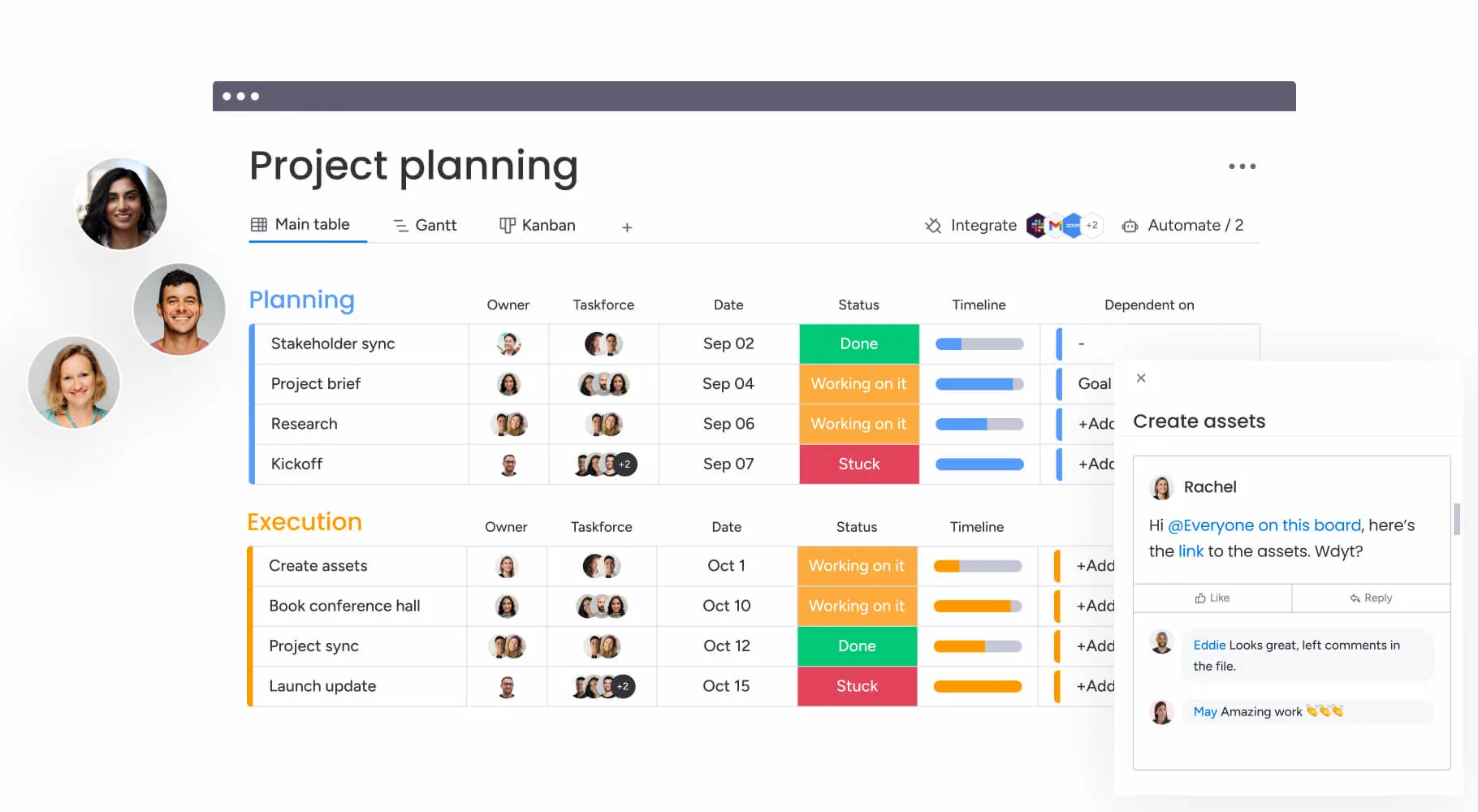
A project manager's primary job is not to do the work, but to ensure the work gets done. In Alios, the owner’s name or profile picture is clearly visible next to every task card. This provides:
Workload Analysis: Does one designer have 10 tasks while another has zero?
Bottleneck Detection: Who is keeping tasks in the "In Progress" status for too long?
Rapid Intervention: When a task is stuck, the PM goes directly to the owner without needing to ask, "Who was handling this?"
5. Practical Example: Ownership Flow in a Website Launch
Wireframe Drawing → Owner: Kerem (UX Designer)
Interface Design → Owner: Pelin (UI Designer)
Content Preparation → Owner: Can (Copywriter)
Frontend Development → Owner: Arda (Developer)
Final Quality Control → Owner: Merve (Project Manager)
In this flow, everyone sees on Alios that Step 2 cannot begin until Step 1 is "Completed." This social awareness—knowing that you are either holding someone up or waiting for someone—is a hidden force that boosts team velocity.
6. Conclusion: Ownership is the Key to Success
Scaling an agency operation is not about hiring more people; it's about clarifying the responsibilities of the people you already have. Alios stops the "profit leak" caused by ownership ambiguity instantly.
If the most frequent question in your agency is "Who was doing this?", there is a serious operational profit loss. With Alios, assign an owner to every task, make every process visible, and unleash your team's true potential.



