Article
AI Roadmap Epic Task: Build the Plan Before the Code
AI writes code fast but doesn't know what to write. Learn how to build an AI roadmap epic task hierarchy in Alios with output definitions and acceptance before coding.

AI Roadmap Epic Task: Build the Plan Before the Code
When writing code gets easy with AI tools, "let's just start" becomes tempting. Claude suggests the architecture, Cursor writes the boilerplate, Copilot completes the functions. Why plan when AI is already writing?
Because AI doesn't know what needs to be written.
AI knows how to write. Which pattern, which library, which approach — it's strong there. But "what should be done this sprint, which business goal does this epic connect to, how is success measured for this task" — those answers aren't in AI.
Without a plan, AI moves fast but in the wrong direction. Or in the right direction but without coordination — each developer writes their own understanding, and at sprint end the pieces don't fit together.
What Happens with AI but No Plan
There are three typical outcomes of starting AI-assisted development without a plan.
Scope ambiguity grows. "Build user management" gets said, AI produces something. But what does "user management" mean? RBAC? Bulk import? An invitation system? Each developer understands it differently, AI produces something different for each. Sprint end: coordination is broken.
No definition of done. When the question "is it done?" arrives, everyone gives a different answer. The developer says "I wrote it," the product manager says "it wasn't tested," the customer says "that's not what I wanted." Acceptance criteria weren't written up front.
Ownership is unclear. AI writes code for everyone but who is responsible for that code? Who reviews, who tests, who deploys? When ownership isn't defined, work gets left half-done — everyone assumes someone else completed it.
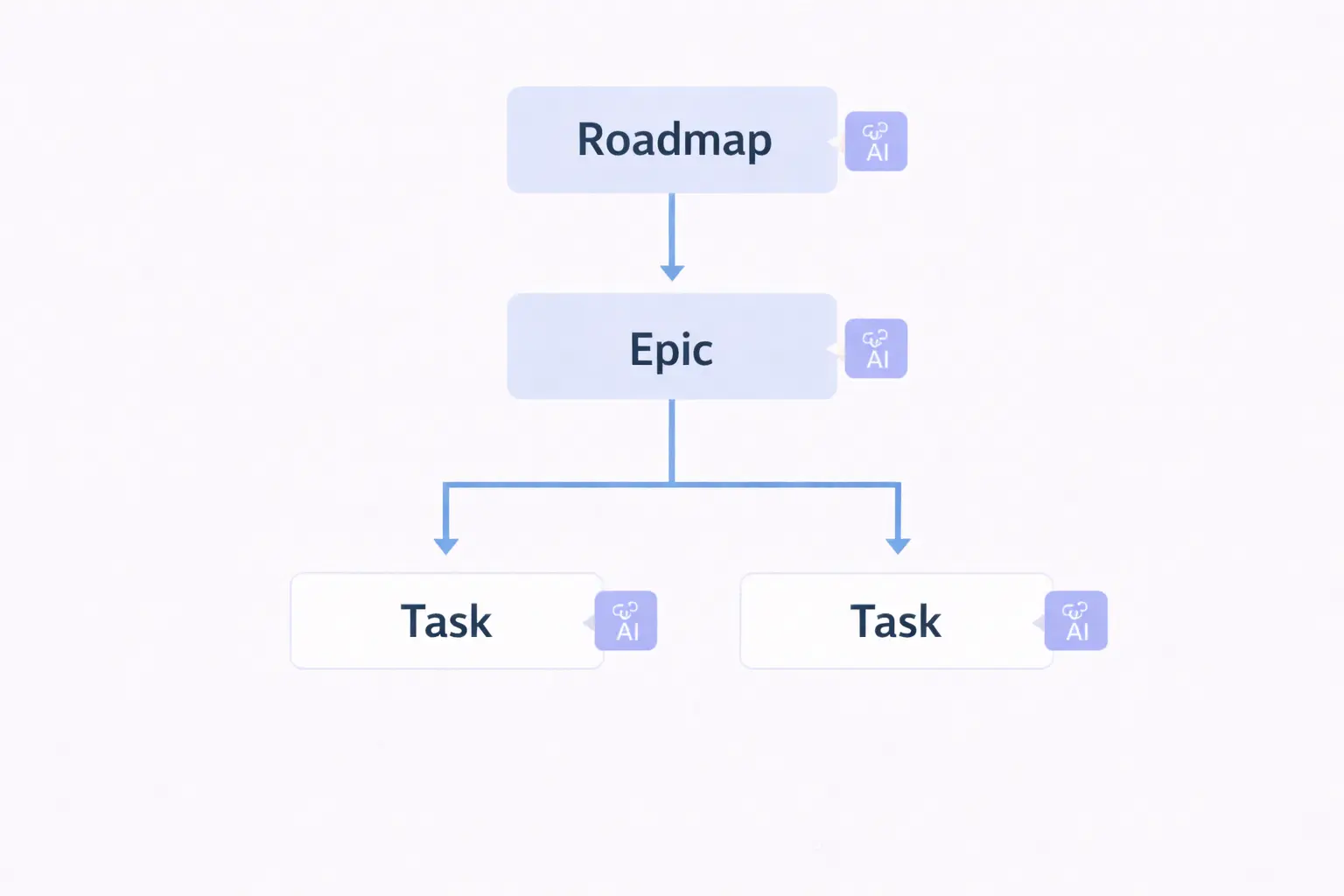
Three-Level Hierarchy: Top Goal → Epic → Task
In Alios, the plan is built across three levels. Each level has its own question and output.
📁 TOP GOAL
"What are we trying to achieve?" — business output

    └── 📁 EPIC
        "What work groups are needed to do this?"
        — deliverable piece

            └── 📌 TASK
                "What needs to be done today for this epic?"
                — assignable, closable work item
At every level, three things are mandatory: output definition, acceptance criteria, owner. Without these three, a node doesn't enter the sprint. Not "will be written" — "who will write it, when it will finish, and what is needed for it to be considered done" must all be clear.
Example: SaaS Product — Team Management Module
Full hierarchy using a realistic product:
📁 TOP GOAL — Q3: Enterprise Customer Self-Serve Onboarding
Owner: Product Manager — Selin
Deadline: September 30
Success criteria:
- Enterprise customer admin can open an account and
  invite their team — without support team involvement
- Average onboarding time drops from 5 days to 1 day
- 3 enterprise customers will use this flow in the
  first month

Context:
Current enterprise customer registration is manual —
CS team helps at every step. This doesn't scale and
reduces customer satisfaction. In the Q2 NPS survey,
"registration process is complex" appeared in the top
3 complaints. This goal is a direct solution to that.
📁 EPIC 1 — Role-Based Access Control (RBAC)
Owner: Backend Lead — Ali
Deadline: September 15
Linked top goal: Q3 Enterprise Onboarding
Output definition:
Admin user can assign roles to team members.
Roles: Admin, Editor, Viewer. Each role's access
limits are defined and enforced.
Acceptance criteria:
- Admin can assign a role to another user
- Editor can edit content, cannot access settings
- Viewer can only read, cannot edit
- Role change applies instantly, no logout required
- Unauthorized access attempt returns 403 and is logged
AI usage plan:
RBAC middleware and permission check functions will
be written with Claude. The following context will
be provided in the prompt: existing auth structure,
user model schema, role enum values.📌 TASK 1.1 — RBAC data model design
Owner: Ali
Deadline: September 2
Effort: Small (half day)
Output definition:
Role and Permission tables designed, migration
ready, seed data created.
Acceptance criteria:
- Role table: id, name, permissions (JSON)
- UserRole junction table: user_id, role_id,
assigned_by, assigned_at
- 3 default role seeds exist: Admin, Editor, Viewer
- Migration runs, rollback tested
- Passed Ali's review
AI note:
Schema design will be done with Claude. Existing
User model and relationships will be provided in
the prompt.📌 TASK 1.2 — RBAC middleware implementation
Owner: Ali
Deadline: September 5
Effort: Medium (2 days)
Dependency: TASK 1.1 must be DONE
Output definition:
Middleware written and integrated that performs
permission checks for each API endpoint.
Acceptance criteria:
- requirePermission('resource', 'action') middleware
working
- Unauthorized request returns 403 + error message
- Permission check can be applied to any endpoint
in a single line
- Unit test coverage: 80%+ for critical permission
scenarios
- Code review: Mehmet approved
AI note:
Middleware will be written with Claude. The following
will be provided in the prompt: Express middleware
structure, existing auth middleware example,
permission enum list.📌 TASK 1.3 — Frontend permission controls
Owner: Mehmet
Deadline: September 9
Effort: Medium (2 days)
Dependency: TASK 1.2 must be DONE
Output definition:
UI elements shown or hidden based on user role.
Edit buttons not visible to Viewer.
Acceptance criteria:
- usePermission() hook working
- Admin panel menu filtered by role
- Edit forms open to Editor and Admin, hidden for Viewer
- Hiding done with render condition, not CSS
(must not be visible in source code either)
- Mehmet's own review + Ali cross-check📌 TASK 1.4 — Admin panel role management UI
Owner: Mehmet
Deadline: September 12
Effort: Medium (1.5 days)
Dependency: TASK 1.3 must be DONE
Output definition:
Admin can change the role of any member from the
user list. Change applies instantly.
Acceptance criteria:
- Role dropdown on each row in user list
- Role change saves immediately on selection —
no save button needed
- Success/error toast notification shown
- Admin cannot change their own role
- Mobile view works correctly📌 TASK 1.5 — RBAC integration testing
Owner: Zeynep
Deadline: September 15
Effort: Medium (2 days)
Dependency: TASK 1.4 must be DONE
Output definition:
All role scenarios tested end-to-end, edge cases
covered, approved in staging.
Acceptance criteria:
- Admin → Editor → Viewer role change scenarios tested
- Unauthorized access attempts tested — 403
- Simultaneous role change (race condition) tested
- 0 Critical, 0 High open bugs
- Test scenarios written in node, repeatable📁 EPIC 2 — Team Invitation System
Owner: Mehmet
Deadline: September 22
Linked top goal: Q3 Enterprise Onboarding
Output definition:
Admin can invite a team member by email address.
Invite link valid for 48 hours. On acceptance,
account is created and role assigned automatically.
Acceptance criteria:
- Bulk invite: comma-separated emails
- Invite email sent within 2 minutes
- Expired link redirects to "request new invite"
- Pending invites visible in admin panel
- RBAC integrated — role can be selected during invite
└── [TASK 2.1 — 2.4 continue in the same format]📁 EPIC 3 — Onboarding Wizard
Owner: Mehmet
Deadline: September 29
Linked top goal: Q3 Enterprise Onboarding
Output definition:
New admin greeted with a 4-step wizard on first
login: company name → first team member invite
→ role assignment → completion screen.
Acceptance criteria:
- Wizard completion rate tracked — analytics event
- Each step saves independently — if user exits
midway, resumes where they left off
- Mobile compatible
- Average wizard completion time under 3 minutes
- Completable without submitting a support ticket
└── [TASK 3.1 — 3.3 continue in the same format]Building the Hierarchy: Step by Step
Step 1 — Write the top goal, add a numerical criterion. Not "improve enterprise onboarding" but "onboarding time will drop from 5 days to 1 day." Without a number, success can't be measured.
Step 2 — Break epics into independently deliverable pieces. The invitation system can be written without RBAC but won't work. This dependency gets reflected in the epic order.
Step 3 — Keep tasks small enough for one person to finish in 1-3 days. If larger, it needs to be broken down. "RBAC implementation" isn't one task — data model, middleware, frontend, UI, testing: five separate tasks.
Step 4 — Write acceptance criteria for each task, then give it to AI. "Write RBAC middleware" isn't a prompt. "Write RBAC middleware — these acceptance criteria must be met: [list]" is a prompt. AI output is evaluated against the acceptance criteria.
Step 5 — Write dependencies into the node. "TASK 1.2 cannot start until TASK 1.1 is DONE" is written in the node. Not said verbally in sprint planning — written down.
Final Thought
AI writes code. It doesn't write the plan.
Without building the roadmap → epic → task hierarchy, AI speed scatters. Everyone produces something but at sprint end the pieces don't fit, there's no definition of done, ownership is unclear.
The hierarchy built in Alios with output definitions, acceptance criteria, and owners turns what AI produces into a system that carries meaning. Code gets written fast — but the right thing, in the right order, by the right person.