Article
Plan AI Software: Roadmap, Epic, and Task Hierarchy with Alios
Manage your software projects at AI speed but with Alios discipline. A guide to building project trees and managing ownership from roadmap to atomic tasks.
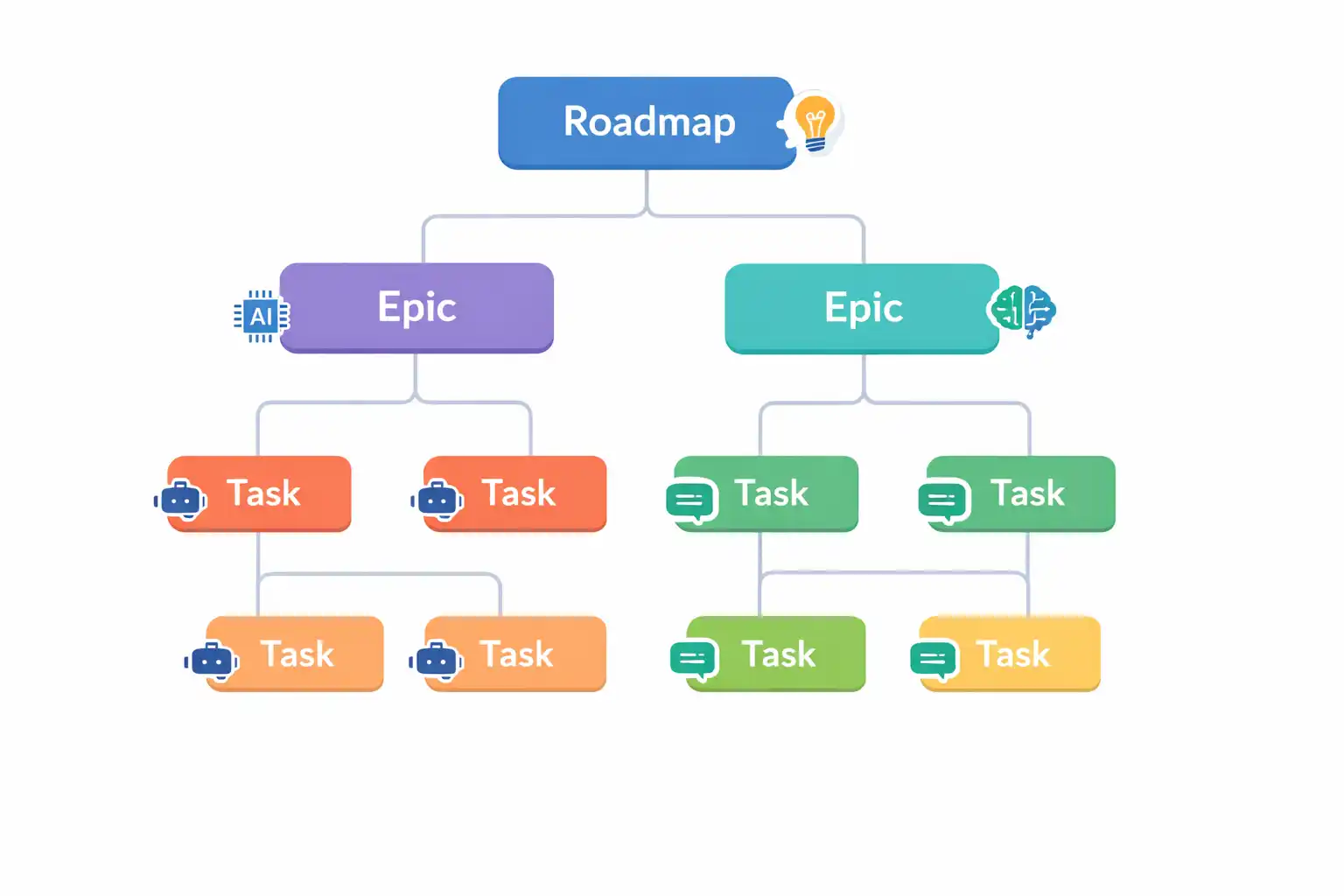
How to Plan an AI-Driven Software Project: From Roadmap to Task with Alios
We are entering a transformative era in software development: The Age of AI-Assisted Production. Today, turning an abstract idea into functional code takes minutes rather than weeks. However, this unprecedented speed brings a massive management challenge. Thousands of lines of code generated without a structural plan quickly turn into "technical debt" and "spaghetti architecture," causing the project to collapse under its own weight.
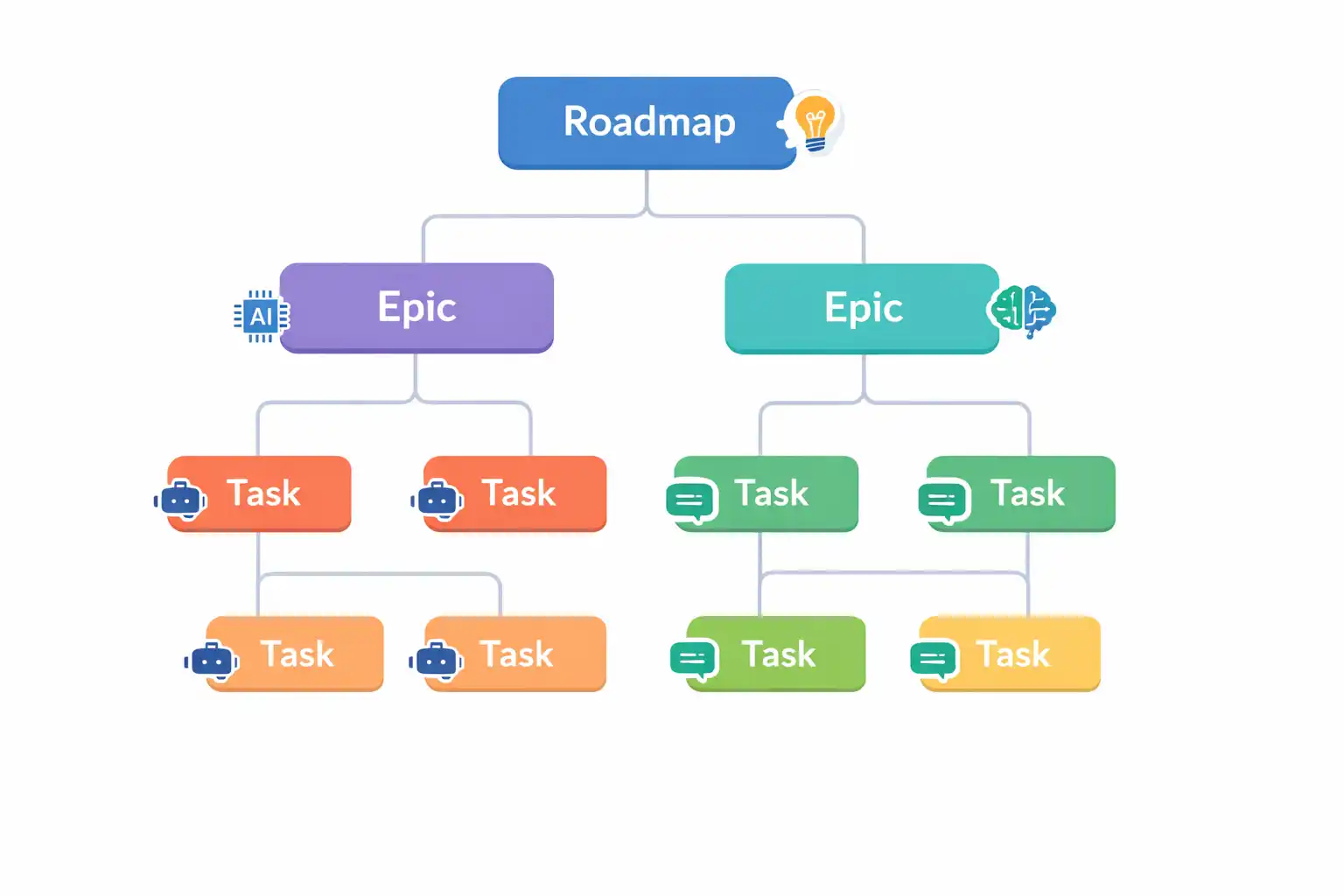
If we think of AI tools (like Cursor, ChatGPT, or GitHub Copilot) as high-performance "engines," then the "steering wheel" and "chassis" that determine where that engine goes is the Alios Digital Spine architecture. In this guide, we will explore how to take a software project from "Concept" to "Product" by establishing a Roadmap → Epic → Task hierarchy within Alios.
1. The Planning Layers: Why Architectural Clarity is Mandatory
The biggest mistake made when working with AI is starting to "write code" immediately. AI is only as smart as the context and scope provided to it. The vertical hierarchy we establish in Alios forms the "constitution" of the project:
Top Goal (Roadmap/Milestone): Defines why the project exists and the major destination to be reached.
Epic (Feature/Module): Large groups of functionalities required to reach the top goal.
Task (Node): Atomic work units that a developer (or AI) can complete in a single session.
2. Example Project Tree in Alios: "E-Commerce SaaS Panel"
Let’s look at how a SaaS project branches out within Alios using the Tree View methodology.
LEVEL 1: Top Goal (Master Node)
Node Name: [ROADMAP] SaaS E-Commerce Infrastructure V1.0 Launch
Output Definition: Launching a stable, scalable sales platform where the first 100 customers can accept payments.
Acceptance Criteria: Secure payment flow, user registration system, and product listing features must be 100% functional.
Owner (Captain): CTO / Product Owner
LEVEL 2: Epics (Sub-Nodes)
Under the top goal, the main pillars of the project rise.
Node A: [EPIC] User Identity & Authorization System (Auth)
Output Definition: A secure login infrastructure based on JWT with MFA (Multi-Factor Authentication) support.
Acceptance Criteria: Flawless completion of Register, Login, and Forgot Password flows; must pass basic cybersecurity penetration tests.
Owner: Backend Lead
Node B: [EPIC] Payment Gateway Integration (Stripe/Iyzico)
Output Definition: Integration of credit card single-payment and subscription models into the system.
Acceptance Criteria: Database update via Webhooks upon successful transaction and automatic invoice generation.
Owner: FinTech Engineer
LEVEL 3: Tasks (Atomic Nodes)
This is the level where AI enters the stage and the actual code is produced.
Node A.1: [TASK] Login Page Frontend Development
Output Definition: Creation of a login form UI using React/Next.js according to the design mockups.
Acceptance Criteria: Mobile responsiveness, client-side validation (email format check), and visible error message handling.
Owner: Frontend Developer
Node B.1: [TASK] Write Stripe Checkout Session API
Output Definition: Preparation of a backend endpoint that sends cart data to Stripe and returns a payment link.
Acceptance Criteria: API returns
200 OK, includescustomer_idin metadata, and handles failed pings.Owner: Backend Developer
3. The "Three Golden Rules" Discipline: Definition, Criteria, Owner
In Alios, it is forbidden for a task to remain "ownerless" or "vague." Every Node must contain these three components:
A. Output Definition
Instead of saying "Do this," describe "Produce this output." When working with AI, this is critical.
Bad Definition: "Build the login page."
Good Definition: "Produce a responsive UI component where users can log in with email/password, featuring a password-hide icon."
B. Acceptance Criteria
Who decides when the job is done, and how? Work without acceptance criteria falls into an infinite revision loop.
Example: "API response time must be under 200ms," or "Unit tests must reach 80% coverage."
C. Owner (Captain)
In Alios, responsibility is not shared; it is delivered. There is only one "Captain" for each Node. If the work succeeds, that person is credited; if the work is stuck in WAKLIYOG (Waiting), it is that person's duty to clear the obstacle.
4. Advantages of AI-Powered Planning with Alios
Using AI in a project planned with the Alios hierarchy offers distinct advantages:
Context Management: Instead of telling an AI "Write me a login page," you copy the Epic definition and Acceptance criteria from Alios. The AI then produces code that fits the overall architecture much more accurately.
Velocity and Auditing: AI writes the code in seconds (Velocity). You then audit whether that code meets the acceptance criteria through Alios (Audit).
Diagnosing Bottlenecks with WAKLIYOG: If the AI hits a library error or a design file is missing, the developer immediately moves the task to the WAKLIYOG status. The manager sees exactly where the project has stopped on the Dashboard in seconds.
5. Corporate Memory: Code Fades, Systems Remain
Staff turnover is the biggest risk in software projects. Thanks to the Tree View in Alios, a newly hired developer can see the entire "decision history" from the top roadmap to the smallest atomic task.
Why was this specific payment gateway chosen?
Who solved last month's bug and how?
What prompts did the AI use to build this structure? Everything is stored in the comments and history logs under the Nodes.
6. Conclusion: Without Strategy, Code is Trash
Developing software with AI is like driving a car at 200 km/h. If you don't have a roadmap, clear main roads (Epics), and signs telling you what to do at every intersection (Tasks), a crash is inevitable.
Alios draws that road for you. With its Digital Spine system, it transforms complex software projects into manageable, transparent, and fully reviewed processes.
Steps to Start Your First Project in Alios (Summary)
Open the Master Node: Define your vision and the final output.
Branch the Epics: Divide the project into 4-5 main technical pillars.
Define Atomic Tasks: Break down work into 1-2 day packages.
Assign Captains: Put a responsible person at the head of every Node.
Write Acceptance Criteria: Clarify the conditions for "Done."
Monitor via Dashboard: Track delayed and waiting (WAKLIYOG) tasks in real-time.



