Article
Project Tracking in Architecture & Engineering: Bye Excel (Alios)
Architecture/Engineering: End the Excel/WhatsApp chaos. Alios brings transparency, coordination, and error-free project tracking. A new era starts.
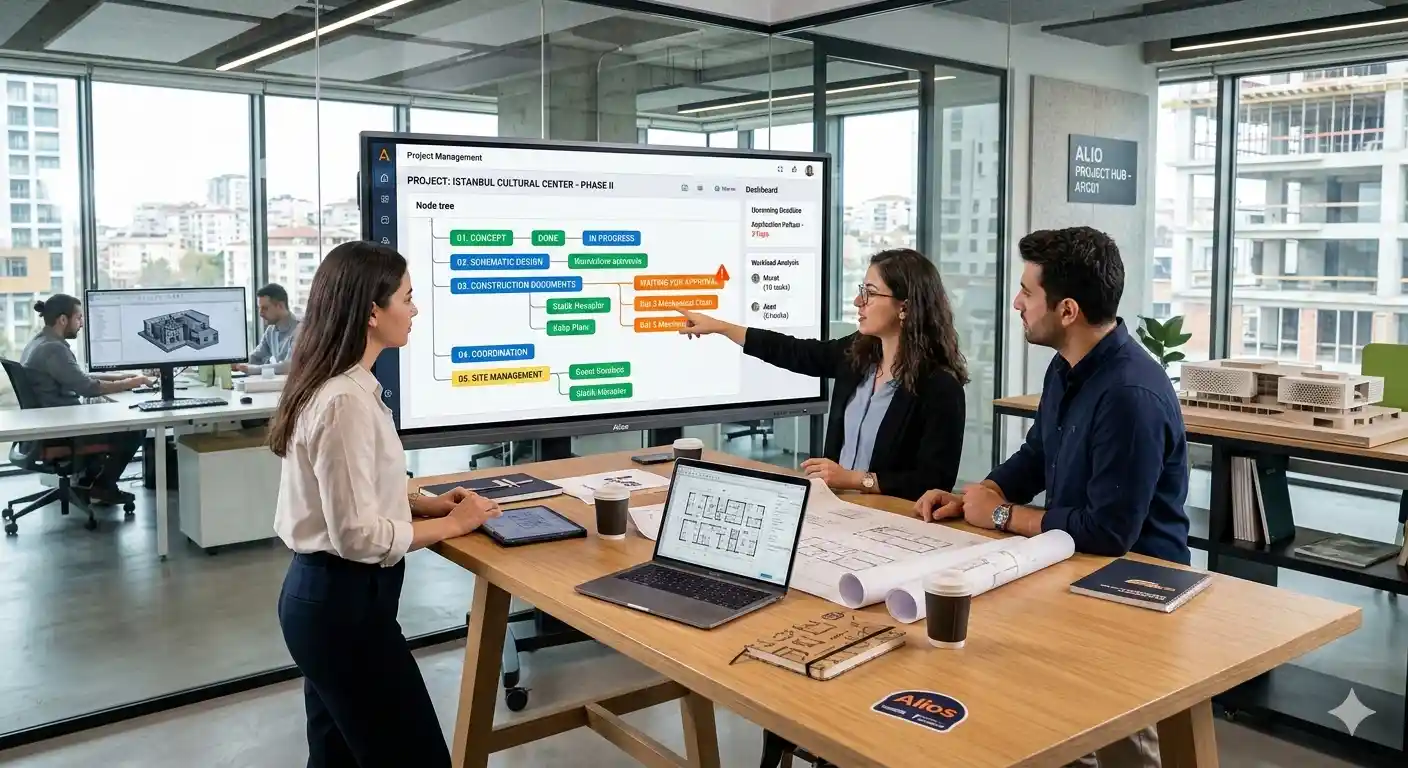
Project Tracking in Architecture & Engineering with Alios: A Guide to Transitioning from Excel
In the world of Architecture, Engineering, and Construction (AEC), the success of a project does not solely rely on the accuracy of static calculations or aesthetic design; the true key to success lies in the flawless coordination of thousands of interconnected details. However, today, many prestigious firms still attempt to manage multi-million dollar projects using methods from the 90s: massive Excel spreadsheets, endless WhatsApp groups, and uncontrollable email chains.
While Excel may appear "flexible" and "easy" at the start, it inevitably transforms into a data graveyard as the project progresses. In an environment where revisions fly back and forth and interdisciplinary clashes (architectural, structural, mechanical, electrical) occur daily, a single unupdated cell in an Excel sheet leads to irreversible errors on-site and catastrophic financial losses. In this guide, we will examine why architecture and engineering teams experience "Excel Fatigue" and how Alios transforms this chaos into a transparent, measurable, and error-free operation through its node-based structure.
1. The Hidden Risks of Tracking via Excel/WhatsApp in AEC
Managing a project with traditional tools is like navigating a stormy sea without a compass. The most common structural issues faced by industry teams include:
A. Static Data vs. Dynamic Site Reality
Excel is static. When an engineer provides an update from the field, that information must be manually entered into Excel, saved, and then announced to other disciplines. In this manual process, information is always lagging. In Alios, every update happens instantly via a Node; the data is always live.
B. "Version Chaos" and Drawing Tracking
The ultimate nightmare for architectural offices is the wrong drawing (revision) reaching the construction site. The moment a file named Final_Revision_02.dwg sent via WhatsApp loses its link to the corresponding cell in Excel, the risk of error jumps to 100%.
C. Interdisciplinary Coordination Gaps
If a change made by the mechanical team affects the architectural project and this information is lost between Excel rows, the "clash" is only noticed during the construction phase. This results in the high cost of demolition and reconstruction.
D. Responsibilities Falling into Grey Areas
Questions like "Who was supposed to draw that detail?" or "Who received the approval email?" find no answers in Excel. Excel does not tell you who did or didn't do something and why; it only shows what hasn't been done (provided someone manually typed it in).
2. Alios: The "Single Source of Truth" (SSoT) for AEC Processes
Alios is not just a "task tracker" for architecture and engineering firms; it is a Digital Project Office. It breaks the cell-confined structure of Excel and turns every project step into a living "Node."
Node-Based Work Breakdown Structure (WBS)
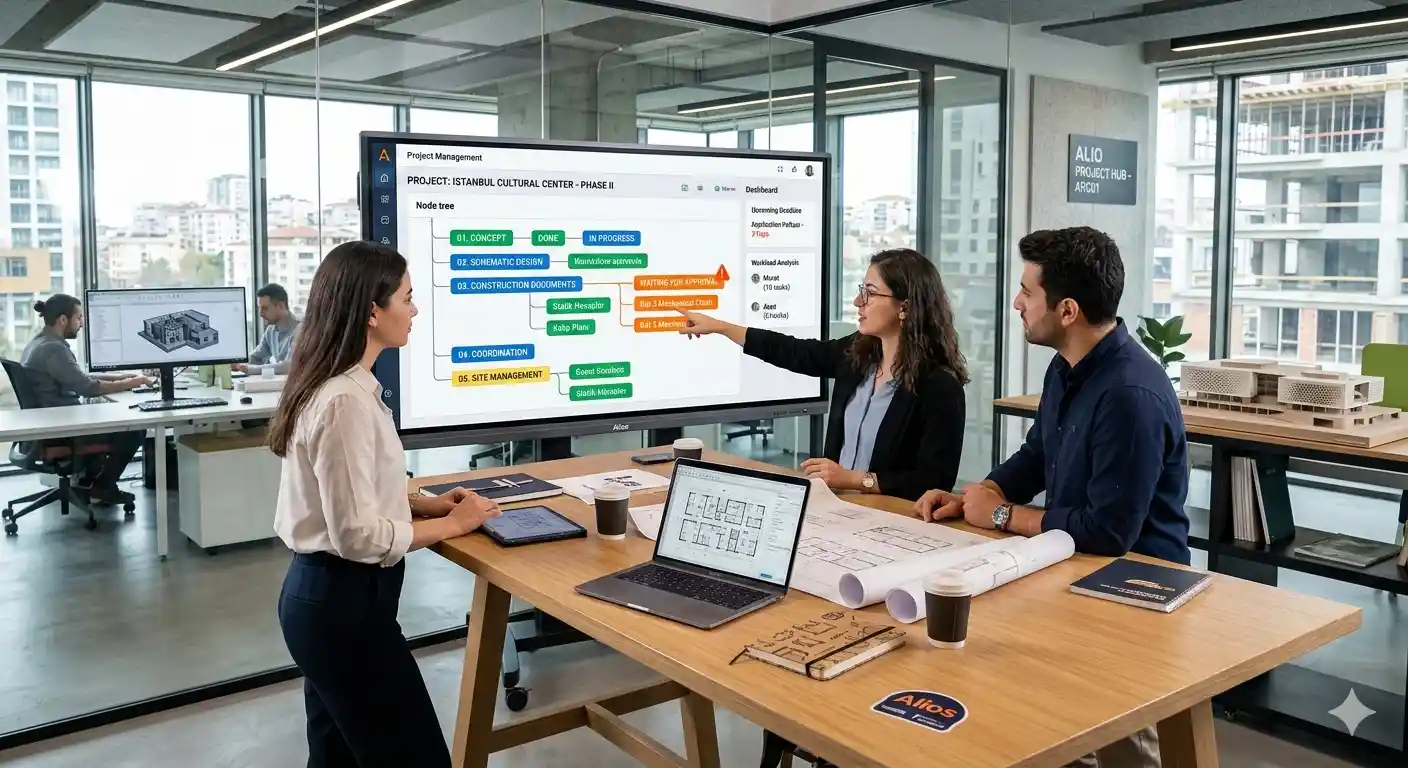
In Alios, a project is divided into main phases such as Concept Design, Permit Documentation, Construction Documents, and Site Supervision. Under each phase, structural, mechanical, and electrical disciplines create their own sub-trees.
Visibility: An architect doesn't need to ask the mechanical engineer if a drawing is finished; they can see it instantly via the color of the relevant node (In Progress / Waiting / Done) in the Alios tree.
Visual Context and Document Integration
In Excel, you cannot attach a large-scale drawing or a progress payment report next to a row. In Alios, every node is a document library in itself. The relevant DWG link, approved PDF, and revision notes are all contained within the same "work box."
3. Transitioning from Excel to Alios: Operational Efficiency Indicators
When AEC firms migrate to Alios, their operational DNA changes as follows:
ProcessExcel / WhatsApp ModelAlios "Visible" ModelRevision TrackingLost in messages and folders.Chronologically kept in Node history.Approval MechanismVerbal/written via phone or email.Formalized with "Waiting for Approval" status.Clash ManagementWaits to be noticed in meetings.Foreseen through interdisciplinary node dependencies.Team WorkloadCapacity and density are unknown.Analyzed per person via the Dashboard.
4. Early Warning Systems for AEC Teams
To catch project delays before they turn into costs, Alios utilizes the following "Early Warning" mechanisms:
I. Drawing Approval Lead Times
If a construction detail has been stuck in "Client Approval" or "Principal Architect Approval" for 7 days, Alios highlights that node visually. In Excel, this delay is only noticed once the deadline has already passed.
II. Critical Path Visibility
Formwork plans cannot begin until structural calculations are complete. Thanks to the dependency structure in Alios, you can simulate how a 1-day delay in structural calculations shifts the entire site schedule.
III. Missing Brief Alarms
If the design team has started work but the municipal zoning notes have not yet been added to the node, the system issues a "Missing Information" alert to prevent erroneous drafting.
5. Example Scenario: The Construction Phase of a Hotel Project
Let's see how Alios outperforms Excel during the Construction Documentation process:
Node Creation: A node titled "Level 1 - Mechanical Installation Shop Drawing" is opened.
Dependency: This node is linked to the "Approval of Architectural Sections" node. The mechanical engineer cannot start work until the architectural section is approved.
Communication: If the mechanical engineer notices an issue with a column location, they write a comment directly inside that node and @mention the architect. The discussion happens on the work itself, not on WhatsApp.
Approval: The drawing is finished, and the status is set to "Review." The lead architect views the drawing within the node, approves it, and the status becomes "Done."
Archive: Once the project is complete, the reason for that specific column change is stored forever in the Alios node history.
6. Sector-Specific FAQ
Q: We work with very large files (DWG, RVT); can Alios handle them?
A: Alios recommends keeping heavy files in your cloud storage (Drive, Dropbox, BIM360) and linking them to nodes. This prevents time loss during file transfers, ensuring you always access the "Single Source of Truth" via Alios.
Q: Can we include external consultants (Structural, Landscape) in the system?
A: Yes. You can define restricted permissions for them to see only the relevant parts of the project tree (Nodes). This ends email traffic and brings all disciplines into one center.
Q: Can we import our existing Excel data into Alios?
A: Alios features fast import and templating tools to transform your complex Excel lists into a structured "Work Tree."
7. Conclusion: Digital Transformation in Technical Offices is Inevitable
In architecture and engineering, the margin for error is near zero. Tools like Excel and WhatsApp offer structures that are prone to human error and impossible to track. Any moment information is not transparent represents a financial risk for your firm.
Alios provides AEC firms with a "Control Tower" where they can escape the cells of Excel and view every stage of the project from a bird's-eye view. As visibility increases, errors decrease; as errors decrease, profitability and customer satisfaction rise. Leave your Excel spreadsheets behind today and witness how your projects are managed in "real-time" within the node-based world of Alios.



