Article
How to Manage SME Approvals: Shorten Revision Cycles with Alios
Don't let pending approvals slow down your SME. Learn how to use Alios to make waiting times visible, centralize comments, and speed up your decision-making process.
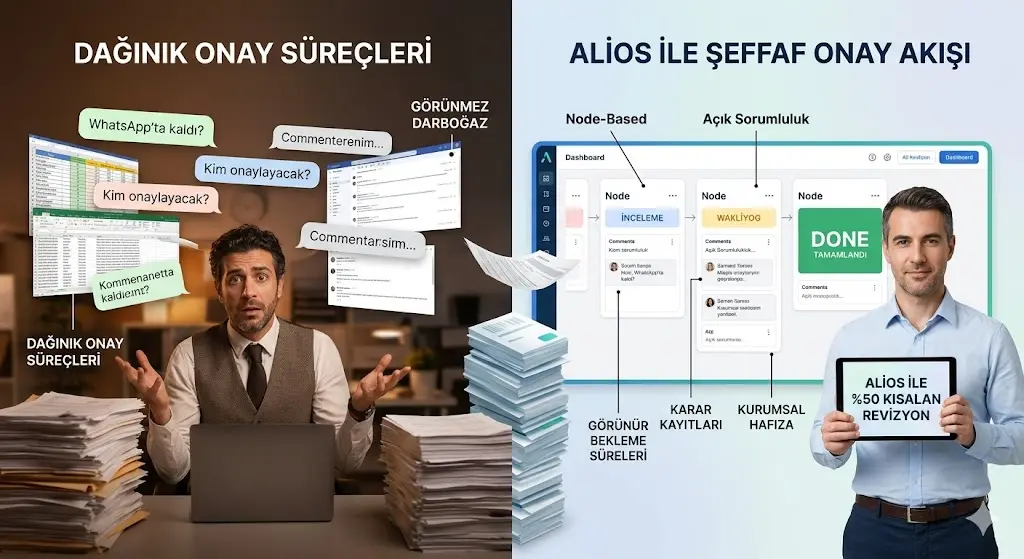
How to Manage Approvals in SMEs: Shorten the Revision Cycle
For Small and Medium-Sized Enterprises (SMEs), the stealthiest barrier to growth is not production speed, but approval slowness. Preparing a product, designing a proposal, or planning a shipment may take mere hours; however, getting that work finalized and launched can stretch into days. In SMEs, tasks frequently get stuck on desks, in between WhatsApp messages, or in emails where the manager promises to "look at it later."
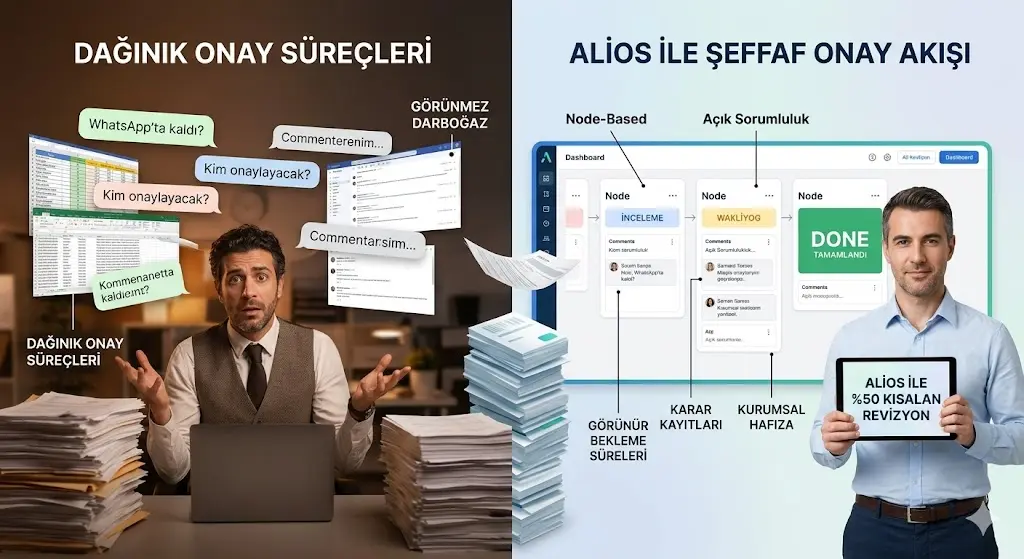
This situation does not just waste time; it also slows down cash flow and drains staff motivation. Alios turns the approval process from a "waiting torture" into a transparent operational step. Here is how to shorten the revision cycle in SMEs by 50%:
1. The "Invisible" Bottleneck of Approvals in SMEs
When many business owners ask why things are delayed, they receive the answer: "The team is slow." However, the reality is usually different: the work is complete but forgotten in the waiting for approval stage.
Role Ambiguity: When the question "Who was supposed to approve this? The GM or the department head?" remains unanswered, the task stays in limbo.
Feedback Chaos: When a "Let's fix this" message from WhatsApp clashes with a "Change the price" note from an email, the revision process spirals into chaos.
Loss of Decision Records: When the answer to "Why did we do it this way?" is lost in past messages, the same mistakes are repeated.
2. WAITING Visibility with Alios: See Who Has the Ball
Alios links every task (Node) to a status. The most critical status for approval processes is the WAITING status.
A. "The Ball is with the Client" or "The Manager"
When a task is finished, its status is moved to "WAITING." This sends a clear message within the system: "We did our job; now we are waiting for a decision to move forward."
The Alios Difference: When the manager looks at their dashboard, they see pending approvals like a red flag. They do not need to ask, "Why are not things moving?"; the list of pending items is right in front of them.
B. Decision Logs and Corporate Memory
In Alios, the approval or revision process is not just a "yes/no" matter.
Comments: Revision requests are written directly under the relevant task (Node).
History: When looking at that task three months later, it is visible chronologically which revision was requested by whom and why. This creates the decision memory of the business.
3. Three Alios Strategies to Shorten Revision Cycles
When you set up this system in your SME, the revision traffic is cut like a knife:
ProblemAlios SolutionResultScattered CommentsEvery revision request is entered as a "Comment" under the Node.Information loss drops to zero.Delayed ApprovalsAutomated reminders are set up for tasks in "Waiting."Tasks never become ownerless.Repeated MistakesPast revision notes are visible to everyone.The same mistake is never made twice.
4. Step-by-Step: How to Set Up the Approval Flow?
Create a Node: Define the task and assign a responsible person.
Review Phase: When the staff finishes the task, they move the status to "Review." This means, "I'm done, please check it."
Approval/Waiting: if the reviewer wants a correction, they write a comment and put the task in "Waiting."
Completed (Done): Once approved, the task moves to "Done" and is archived.
5. Conclusion: Decide and Move Forward!
Productivity in SMEs is not about making staff work harder; it is about shortening the decision-making time. Alios takes the "remembering" burden off managers by making pending tasks visible and gives the team the sense that "the path is clear."
Remember; the most expensive stage of a task is not when it is being worked on, but the time spent waiting for approval. Stop this leak with Alios and give your business a transparent, fast-decision-making structure.



