Article
Client Task Tracking for SMEs: Customer-Based Flow with Alios
End the Excel and email chaos! Learn how to digitize your delivery, approval, and communication processes by building customer-centric work trees in Alios.
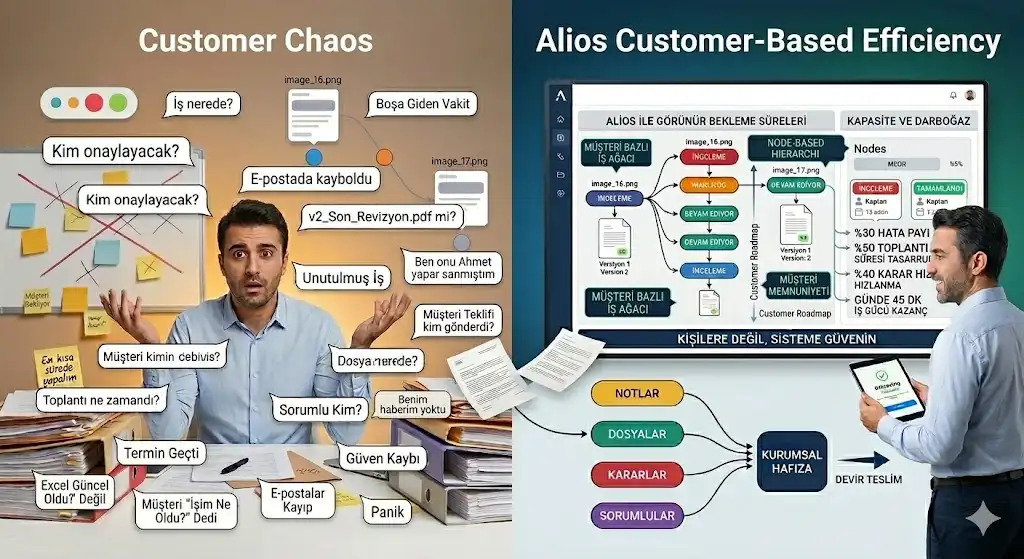
The Easiest Way to Track Client Projects: A Customer-Centric Workflow for SMEs
For an SME (Small and Medium-sized Enterprise), a customer is more than just a name or an invoice; each one is a living project encompassing dozens of sub-tasks, deliveries, and approval cycles. Typically, as your business grows, tracking which stage each customer is in becomes a nightmare. Excel sheets lose their relevance, emails get buried in sub-folders, and eventually, when a client asks, "What’s the status of my work?" a small wave of panic ripples through the office.
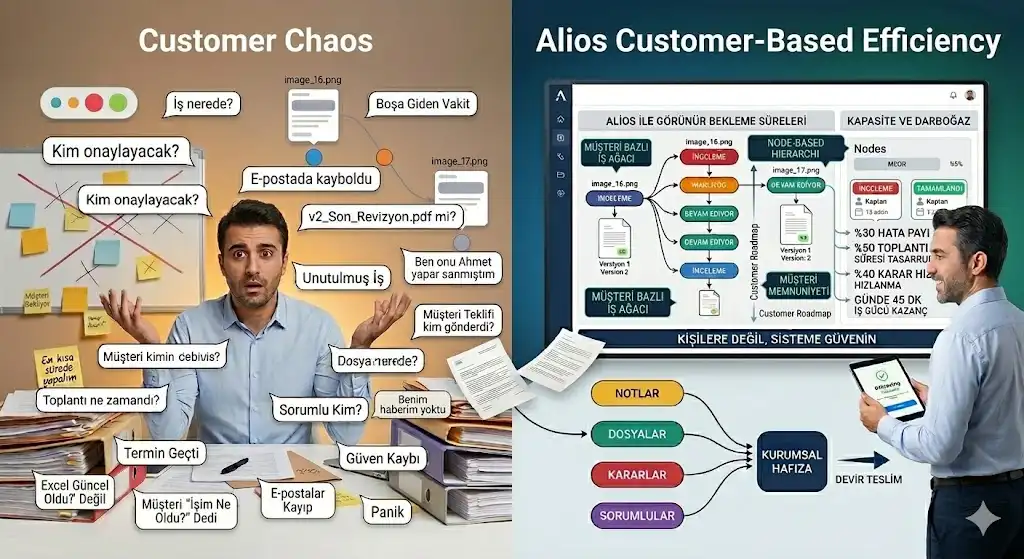
Alios ends this chaos by offering a "Digital Spine" system that puts the customer at the center and manages all tasks through a logical "Work Tree" methodology.
1. Seeing the Customer as a "Tree," Not Just a "File"
In traditional systems, customer information is static. In Alios, however, every customer is the root of a dynamic, growing structure.
The Master Node: Create one primary Node for each client. This serves as the "command center" for that specific relationship.
Sub-Nodes (The Branches): Every order, project, or request belonging to that customer branches out as a sub-Node.
Example: "Customer X" (Master Node)
"March 2026 Production Batch" (Sub-Node)
"Logistics & Shipping" (Sub-Node)
"After-Sales Support" (Sub-Node)
With this hierarchy, you can view the entire history and current status of a customer in a single vertical flow, rather than hunting for fragmented data.
2. Automating Deliveries and Approval Cycles
The biggest time-drain for SMEs is often waiting for "approvals"—either from the client or from internal management.
The "REVIEW" Status: When a job is finished, it shouldn't just be marked as "Done." Alios’s REVIEW status signals that the work is complete but requires a sign-off. It is the fastest way to tell the client or manager, "The ball is in your court!"
The "WAKLIYOG" (Waiting) Discipline: If a project is stalled because the client hasn't sent necessary documents or specifications, you move that work to the WAKLIYOG status. This ensures that by the end of the month, you have data-backed answers to "Why was this delayed?": "Because we spent 5 days waiting for client approval."
3. Keeping Communication "Inside the Work"
Fragmented communication—meeting notes, sent files, and verbal decisions—increases the margin of error significantly.
Contextual Archiving: If a client provides a specific technical drawing, don't bury it in a general folder. Upload it directly into the relevant production Node.
Decision History: Did the client request a revision? Write it immediately as a comment under that specific Node. Months later, if someone asks, "Why was it done this way?" Alios’s digital memory provides the answer in seconds.
4. A 360-Degree View with the Alios Dashboard
As an SME owner or manager, when you look at the Dashboard, you gain instant clarity:
You see exactly how much workload is assigned to each client.
You identify which clients have a backlog of tasks in "Review" (awaiting approval).
You track which deadlines are approaching across your entire portfolio on a single screen.
This visibility allows you to focus on "priority clients" and distribute your resources (staff, time, machinery) with maximum efficiency.
5. Conclusion: Customer Satisfaction is a System Outcome
A customer feels a deep sense of trust when they perceive they are being managed professionally. A customer-centric workflow established with Alios eliminates the need to ask your team "Who is doing what?" while sending a clear message to the client: "Your project is in safe hands and under our total control."
Remember: The best customer is one who doesn't even need to ask about their project's status because they are kept informed by a transparent, efficient system.



