An end-to-end feature set for project-intensive teams
Alios brings project planning, task execution, file management, finance tracking, and team organization into one workspace. This lets teams manage both operations and outcomes from a single place instead of getting lost across scattered tools. You can also start with the free plan, test the system on real projects, and upgrade as your team adopts it and workload grows. When a new job comes in, you split it into steps, assign owners, collect files in the same flow, track customer balances and received payments in real time, and identify delivery risks early.

Hierarchical project planning
Start each job as a main node, then split it into subnodes to clarify scope. For example, a website project can be divided into Design, Content, Development, Testing, and Release, each with its own tasks. This structure removes ambiguity around who delivers what and when, and exposes bottlenecks early.

Role-based assignments
Assign nodes to team members, departments, or partner companies and monitor ownership from one screen. The assignee sees not only their own task but also the context of the parent work item. Managers can spot delays immediately and reassign or transfer work without breaking flow.
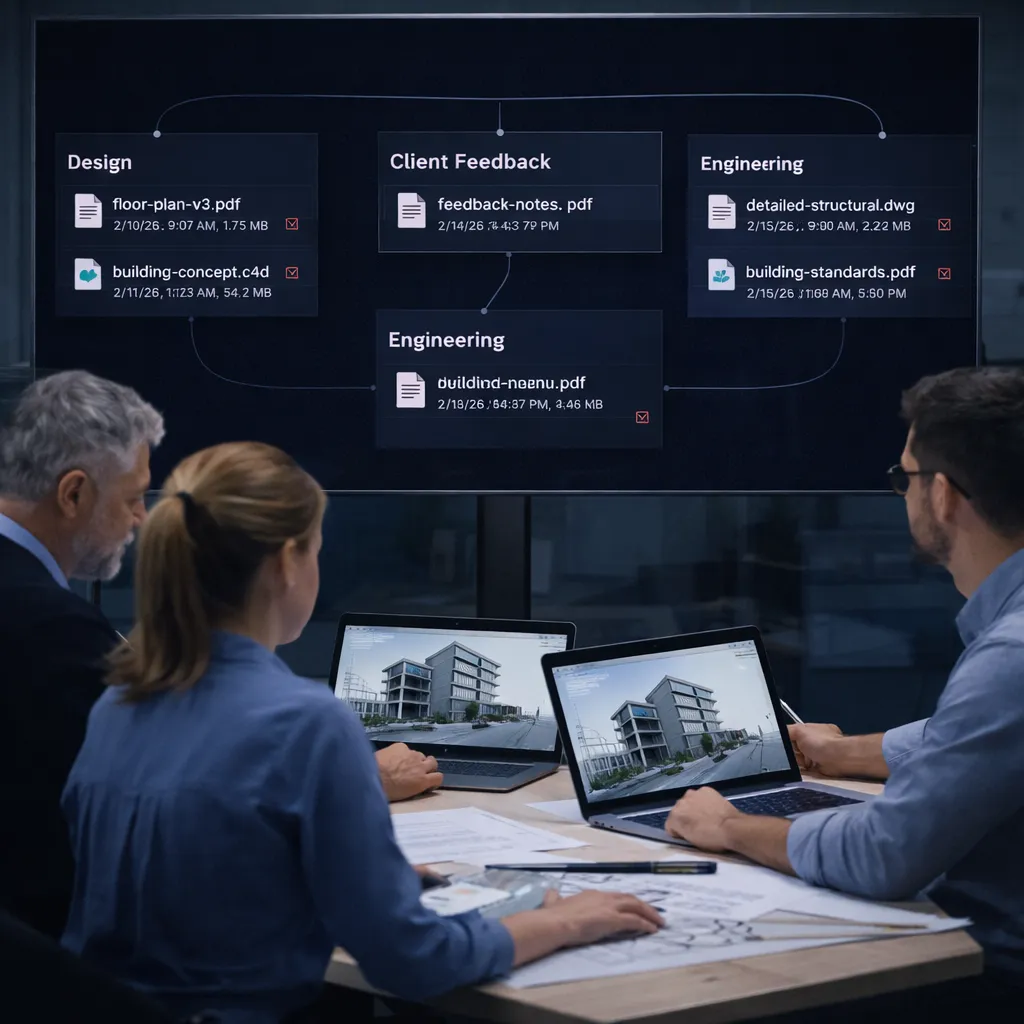
File workflow inside nodes
Keep relevant inputs and outputs under each node so files don't get scattered across email, messaging apps, or personal drives. Because version history, sharing history, and context stay together, the risk of lost files drops significantly. It always stays clear which delivery document belongs to which work step.

Built-in finance visibility
The Finance module is directly integrated into the workflow: customer balance, billed amount, received payments, remaining receivables, and due dates are tracked in one place. Financial status stays up to date as the project progresses. Teams manage not only task completion, but also profitability and collection health.

Team permissions and org chart
In team management, you can model your company structure with roles and define detailed permission sets for each role. Centrally control rules such as who can create tasks, delete files, view finance data, or only view records. This improves security and reduces operational errors.
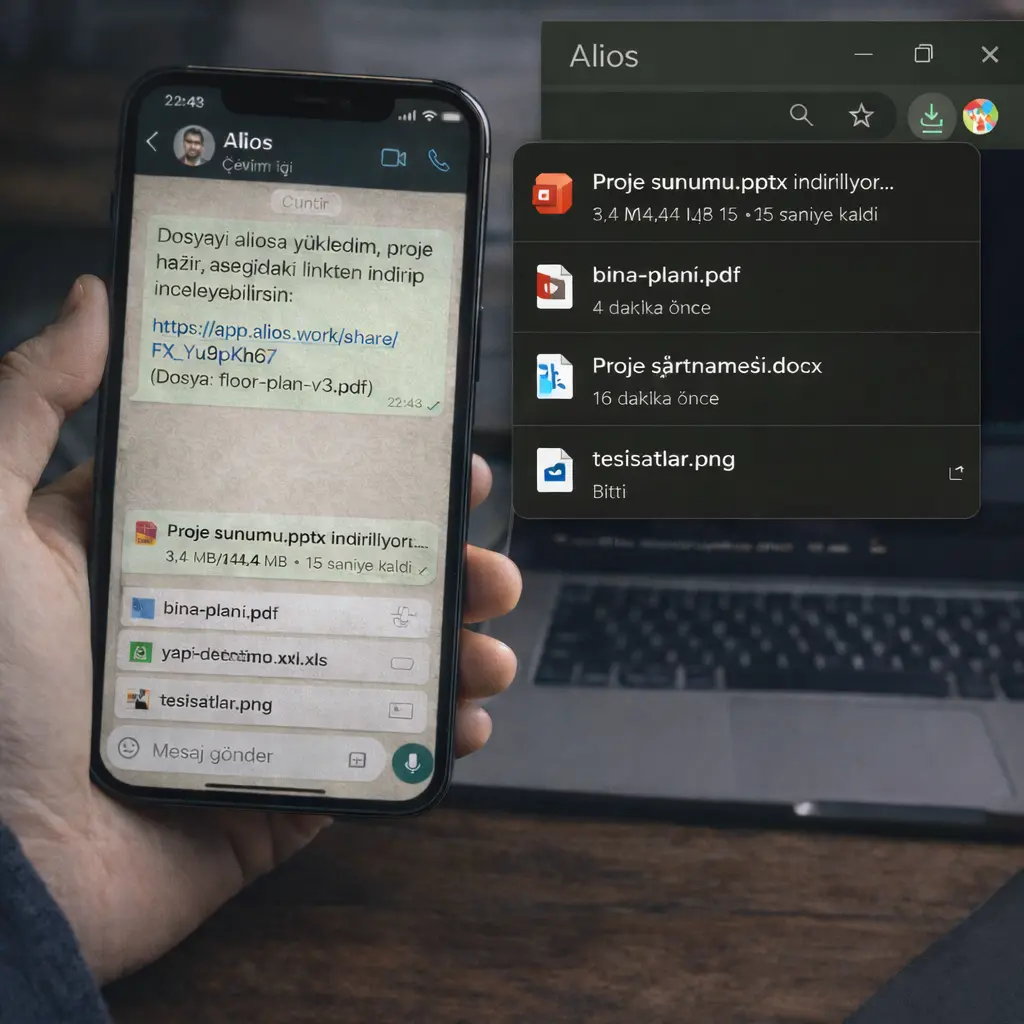
Secure share links
When sharing with customers or external stakeholders, create controlled links with expiration rules. If needed, limit access by time, file scope, and sharing purpose. This prevents important documents from spreading publicly and keeps delivery professional and auditable.